
Catch the moment.
Press Ctrl + Alt + S. Choose a region, window or your whole screen. Your capture stays within reach in a floating preview.
Region · Window · Full screen Sourceweave CaptureFREE DESKTOP TOOL
YOUR SCREEN. YOUR CONTEXT.
A screenshot can say a lot.
Give it the words, arrows and context that make it count.
Free to use · No account required · Captures stay on your device
Capture → annotate → drop into Sourceweave → see the fix.
A SMALL TOOL. A SHORTER EXPLANATION.
Press Ctrl + Alt + S. Choose a region, window or your whole screen. Your capture stays within reach in a floating preview.
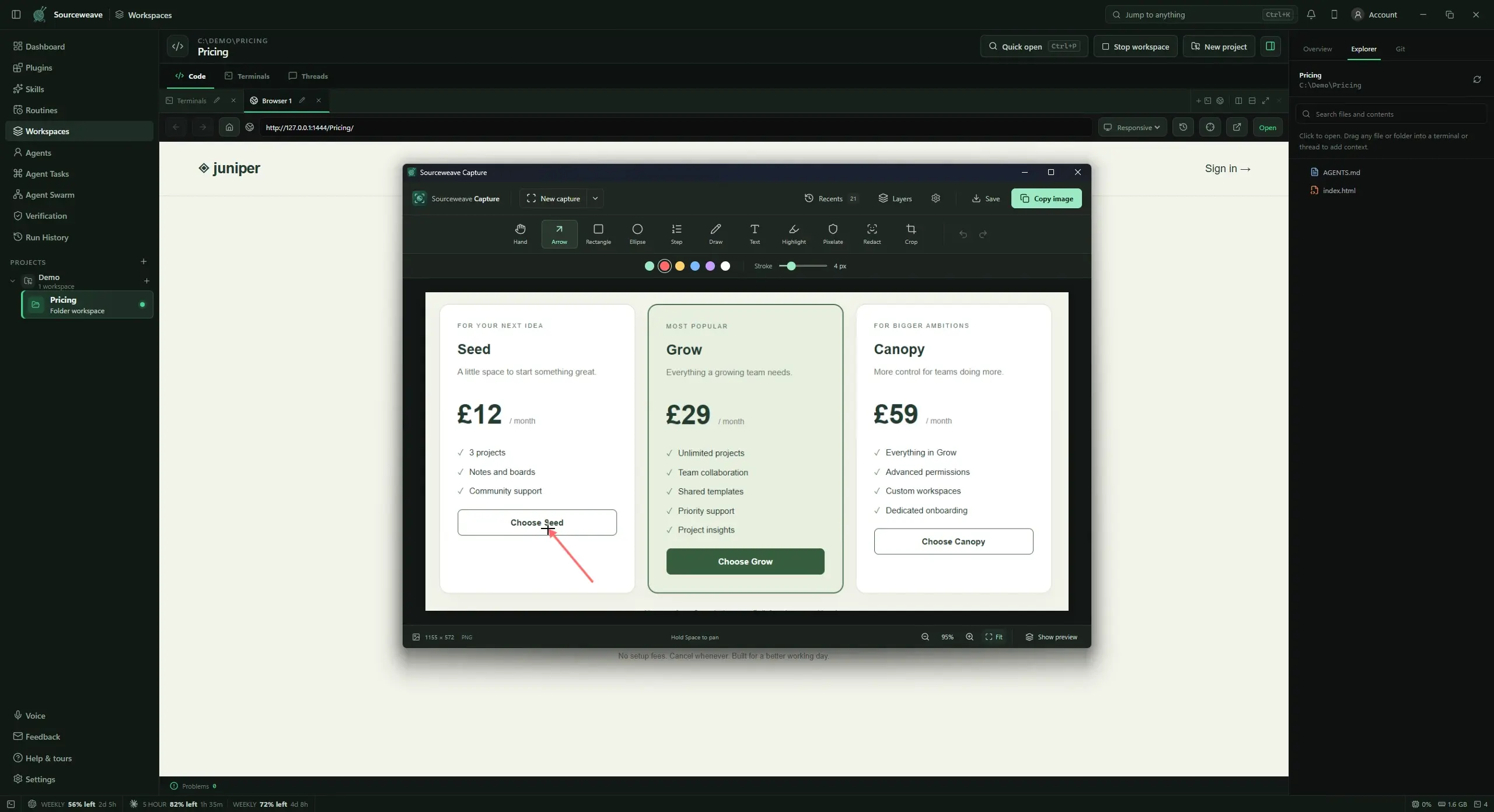
Region · Window · Full screenAdd an arrow. Highlight the detail. Write exactly what needs changing. Editable layers let you come back and refine it.
Text · Highlights · LayersCopy it, save it, or drag the preview straight into a chat or terminal that accepts images. Your context goes with you.
Copy · Save · Drag to shareJUST ENOUGH TO SAY IT BETTER
Mark the button that needs moving. Cover a private detail. Bring two screenshots together. Keep the explanation on the image.
Record a quick bug, a little walkthrough, or the steps that are hard to describe. Save an MP4 or GIF, with a visible recording boundary and a Stop button always within reach.
Drag your annotated capture into a Sourceweave terminal or thread. Point your coding agent at the real problem, then follow the work in the same workspace.
Explore Sourceweave workspaces ↗Capture works independently. Agent services have their own plans and usage.A LITTLE LESS EXPLAINING
Free screenshots, annotations and screen recordings.
Get Capture for Windows ↓Windows 10 or newer · 64-bitmacOS and Linux Coming soon
Always close by. Ctrl + Alt + SGOOD TO KNOW
Yes. Download and use Sourceweave Capture for free. No account or Sourceweave subscription is required.
No. Capture is a standalone desktop app. It works with apps that accept clipboard images or image file drops, and fits naturally alongside Sourceweave.
Screenshots, editable projects and recordings are stored locally on your device. Capture does not upload them. You choose when and where to share.
Yes. Local editable projects preserve text, annotations and combined images. PNG and JPEG exports are flattened images for sharing.
Record a region, window or display as MP4 or GIF for up to two minutes. Recordings are silent. On Windows, you can include your cursor.