
Run parallel coding agents with isolated Git worktrees
Choose between comparing independent attempts and coordinating an agent team, while keeping changes separate until review.
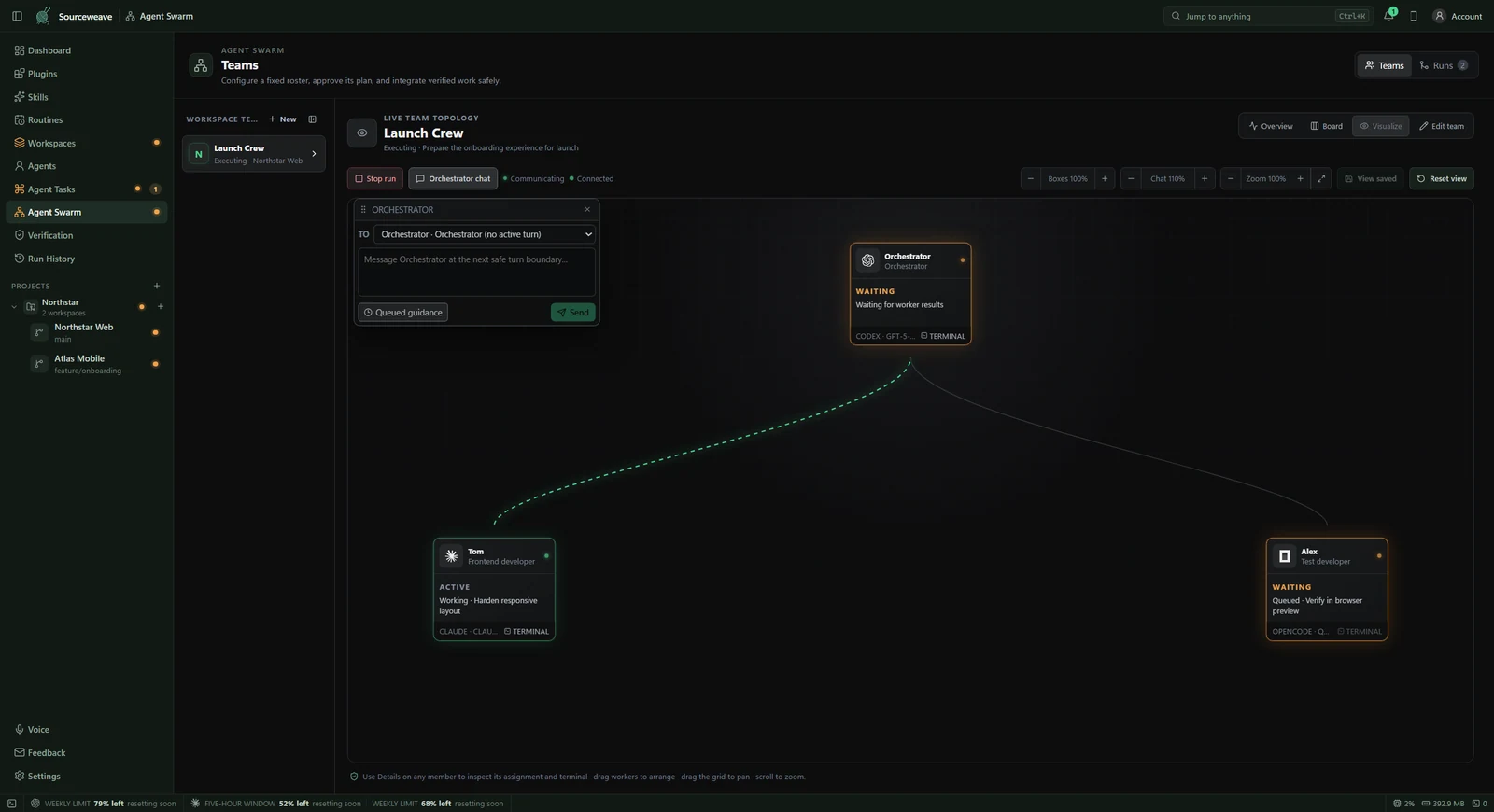
1. Decide whether to compare or collaborate
Use Agent Tasks when you want different agents to attempt the same assignment and compare their results. Use Agent Swarms when workers should contribute different parts of one outcome. These solve different problems: independent attempts help you choose an approach, while a coordinated team needs a shared plan and clear ownership.
2. Understand the isolation boundary
Git worktrees give agents separate checkouts of the repository, so simultaneous file edits do not overwrite one shared working directory. They are not a security sandbox: commands can still access resources allowed by the operating system and agent permissions. Shared databases, ports, external services, and files outside the checkout can still conflict.
3. Define bounded assignments
For a team, create a roster and choose each worker’s CLI, model, and role. A useful split might assign one worker a UI change and another its independent documentation. Changes that depend on the same API or touch the same core files need an explicit order or an integration plan. More workers do not automatically make a task faster.
4. Review the plan before dispatch
The orchestrator proposes and coordinates the work; workers implement it. Review the assignments and dependencies before approving the plan. Check that each assignment has an observable completion condition, such as an existing test passing or a specific screen behaving correctly. Revise overlapping or ambiguous assignments before the team starts.
5. Inspect the combined result
Follow workers through the visualizer and open their terminals when you need detail. Once their changes are combined, run checks against the integrated result, not just the individual attempts. Inspect conflicts and unexpected files before applying changes. Keep the original request beside the final diff so you can verify that the team solved the intended problem.