
Review AI-generated code before applying changes
Use diffs, project checks, browser previews, and run history to assess an agent’s work in Sourceweave.
1. Start with the requested behavior
Keep the original task and its acceptance criteria visible. Ask what should happen before reading the agent’s explanation of what it did. For a bug fix, identify the input or action that caused the bug and the expected result. For a feature, identify both the normal path and an important failure or empty state.
2. Read the diff by file
Use the review surface to inspect added, removed, and changed lines. Look for unrelated edits, unexpected dependency changes, removed checks, hard-coded values, or missing error handling. Review configuration and generated files too. If the diff is too broad to understand, ask for a smaller revision before accepting it.
3. Check the evidence
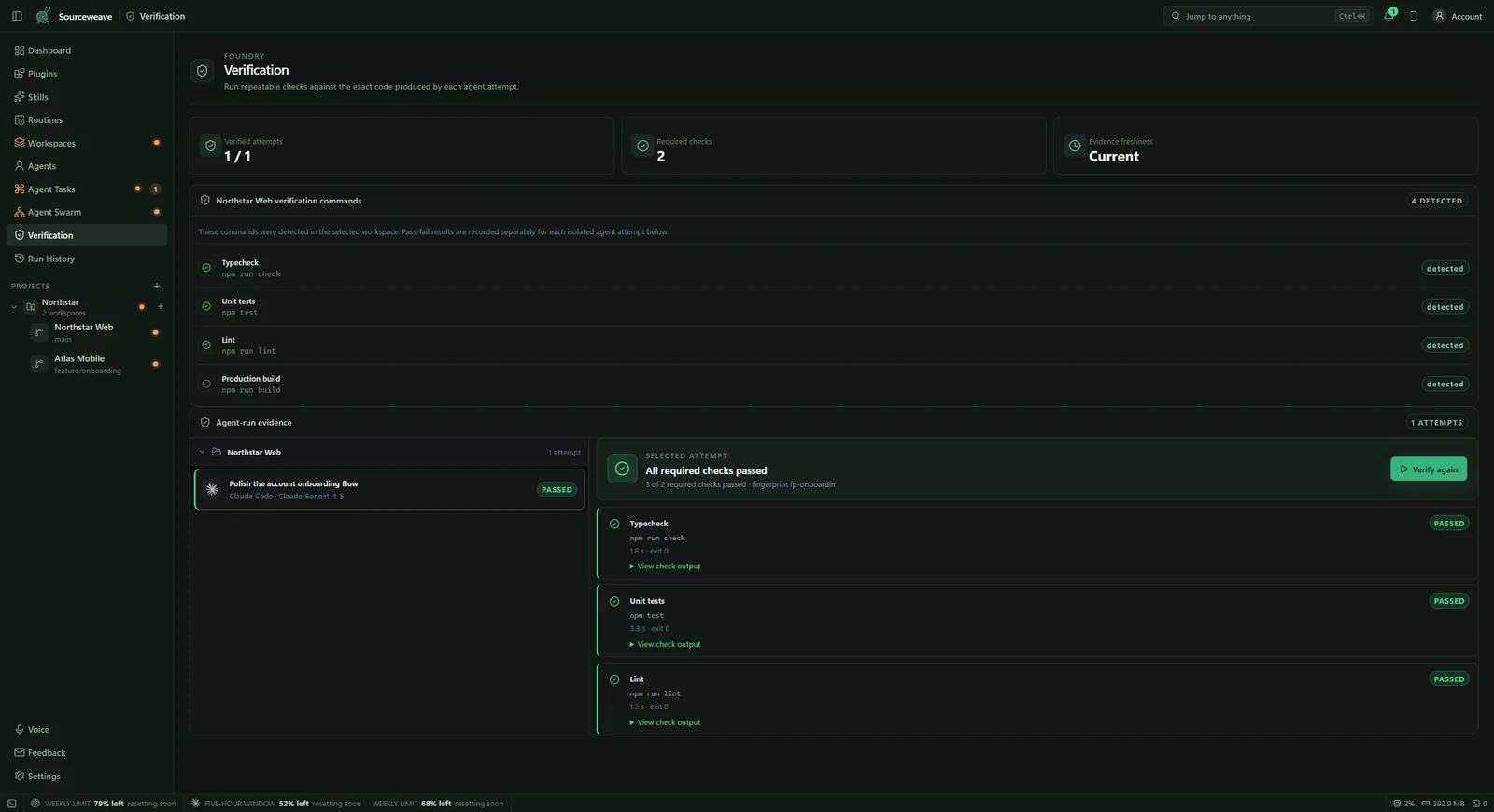
Inspect the recorded commands and results. A passing build establishes something different from a passing behavior test. Verify that the relevant checks ran against the final code and did not merely exit early or skip the affected area. If a required tool or dependency was unavailable, treat that as an unresolved check rather than a pass.
4. Try the change in a browser
For a local web application, use Sourceweave’s browser preview to exercise the actual interaction. Test the screen at a narrow viewport as well as your normal size. Try keyboard navigation and a failure or empty state when relevant. A screenshot can show layout, but interacting with the page reveals behavior a static capture cannot.
5. Apply deliberately and keep the history
Apply the reviewed result when it satisfies the task. If the destination workspace has changed, inspect any conflicts instead of assuming the earlier review still applies. Blackbox keeps the plan, activity, checks, and recovery points available when you need to trace a decision. Review the current state and available recovery action before attempting to undo later work.